Closed Pro · Word processor with a local AI tutor

Written here. With AI, in plain sight.

Closed Pro is Closed Lite with an AI tutor that runs on your own computer. Students write without being able to paste or dictate and, while writing, ask the AI, which answers with their notes and readings, citing the page. The teacher decides in a signed assignment what the AI may do, and the whole conversation goes inside the submission, with the writing record and the replay. No servers and no accounts: neither the work nor the questions leave the computer.
Closed Pro website → See the features Coming soon to the Microsoft Store
Local AI · No servers · No accounts Windows 10 · 11 · Microsoft Store Eleven languages: the program, the AI and the manual Hand in a .closedpro file or a PDF
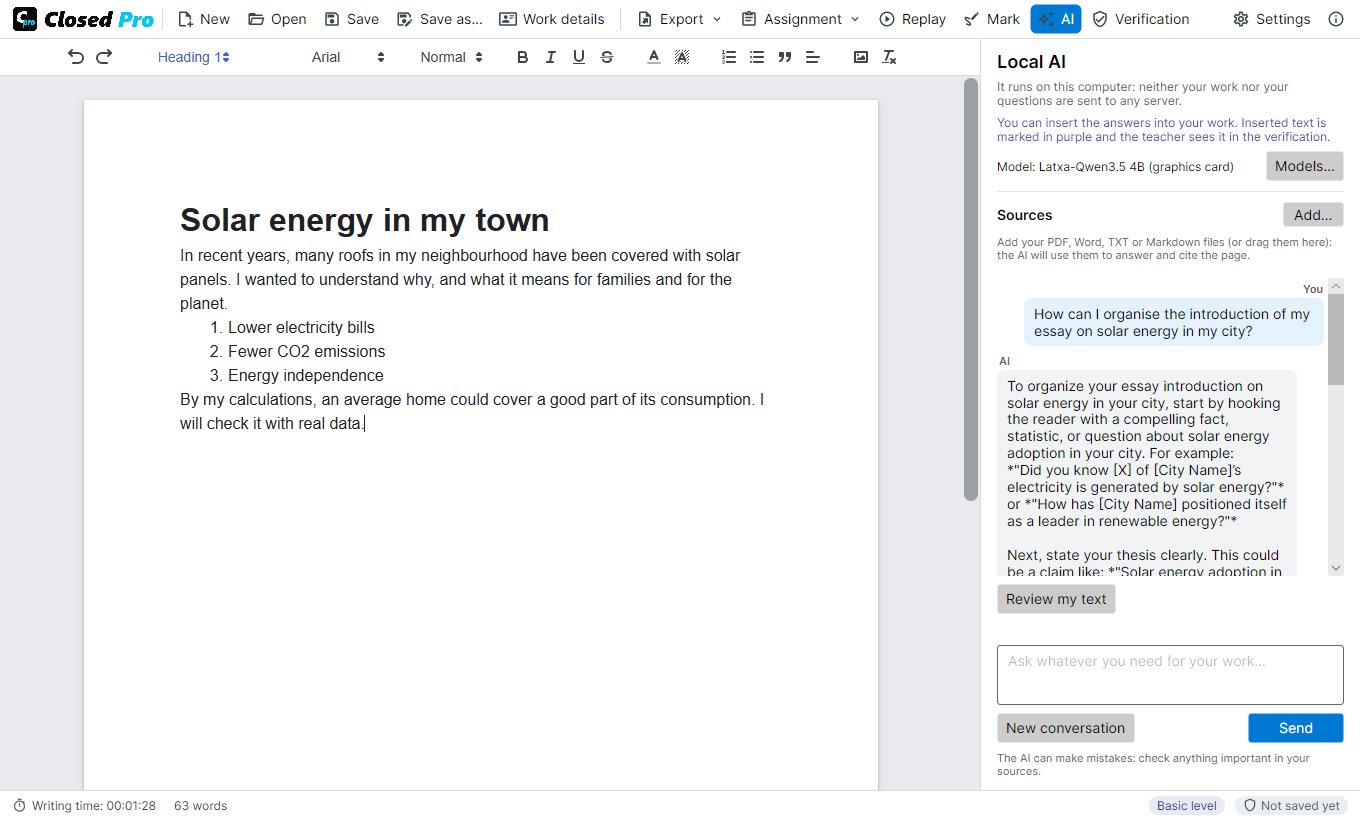
Closed Pro with the AI panel
The AI panel next to the page: questions, answers and the cited sources.
The problem

AI is already in the coursework. Better to see it.

Banning AI does not work and detectors get it wrong. Closed Pro puts AI inside the word processor and in plain sight: the teacher decides what it may do, the student uses it while writing, and the submission carries the text, how it was written and every question and answer. The teacher sees how the AI was used and decides with facts.

Features

An AI tutor, with rules and in plain sight.

All of Closed Lite, plus a local AI that answers with your sources and follows the teacher's rules.

A tutor while you write

It explains, suggests ideas and outlines and, with «Review my text», comments on the draft without rewriting it. It works offline: the model is downloaded once.

Citations with the page

Add notes, readings or articles in PDF, Word, TXT or Markdown. Every fact in the answer carries its source and page, written by Closed Pro, not by the AI.

The teacher's assignments

A .closedtask file with the statement, the criteria, the materials and what the AI may do: explain, review, write or nothing at all. The app enforces it.

Everything goes in the submission

Every question and answer, the cited sources and the refused requests are kept in the signed work. Text inserted from the AI stays marked.

Record and replay

As in Closed Lite: pasting and dictation blocked, every change with its time, signatures with or without a certificate and the writing replayed at up to ×100.

Report with the conversation

A PDF with the signature, the writing data, the assignment, the use of the AI and, in an annex, the whole conversation.
For teachers

You decide what the AI may do. And you see what it did.

  • Create the assignment with its statement, your materials and the AI permissions, and share it on Moodle, Classroom, Teams or by email
  • A question limit and instructions for the AI in your own words, which the student also sees
  • When marking you see the text, how it was written, the whole conversation and whether the work was done with your assignment unchanged
  • Receive the .closedpro file or a PDF that carries it, and mark it on the PDF itself
  • It also opens and verifies the work done with Closed Lite
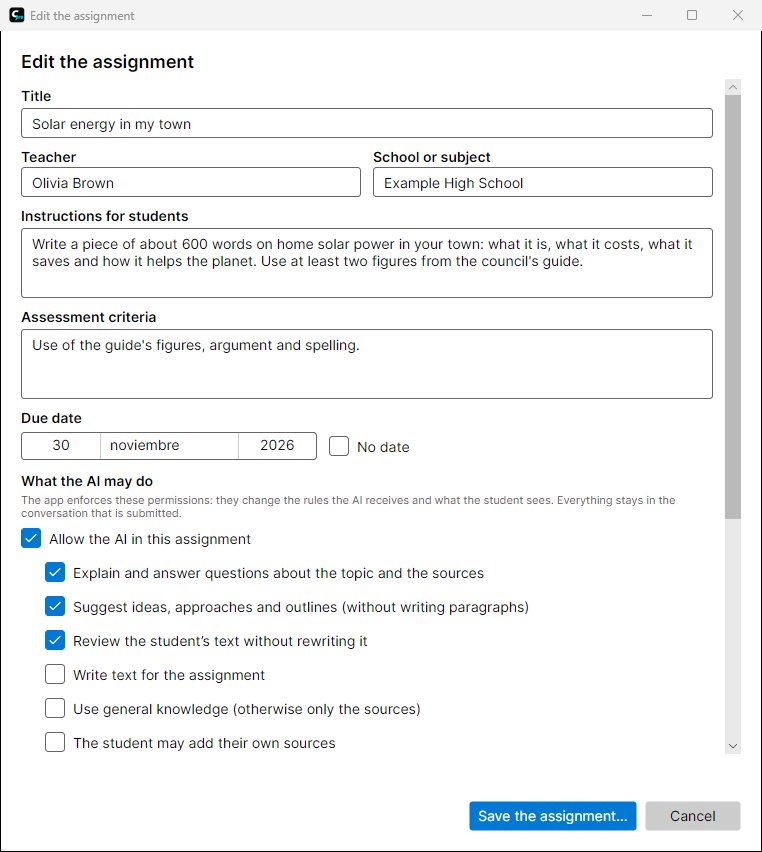
Closed Pro assignment editor
The assignment editor: statement, materials and AI permissions.
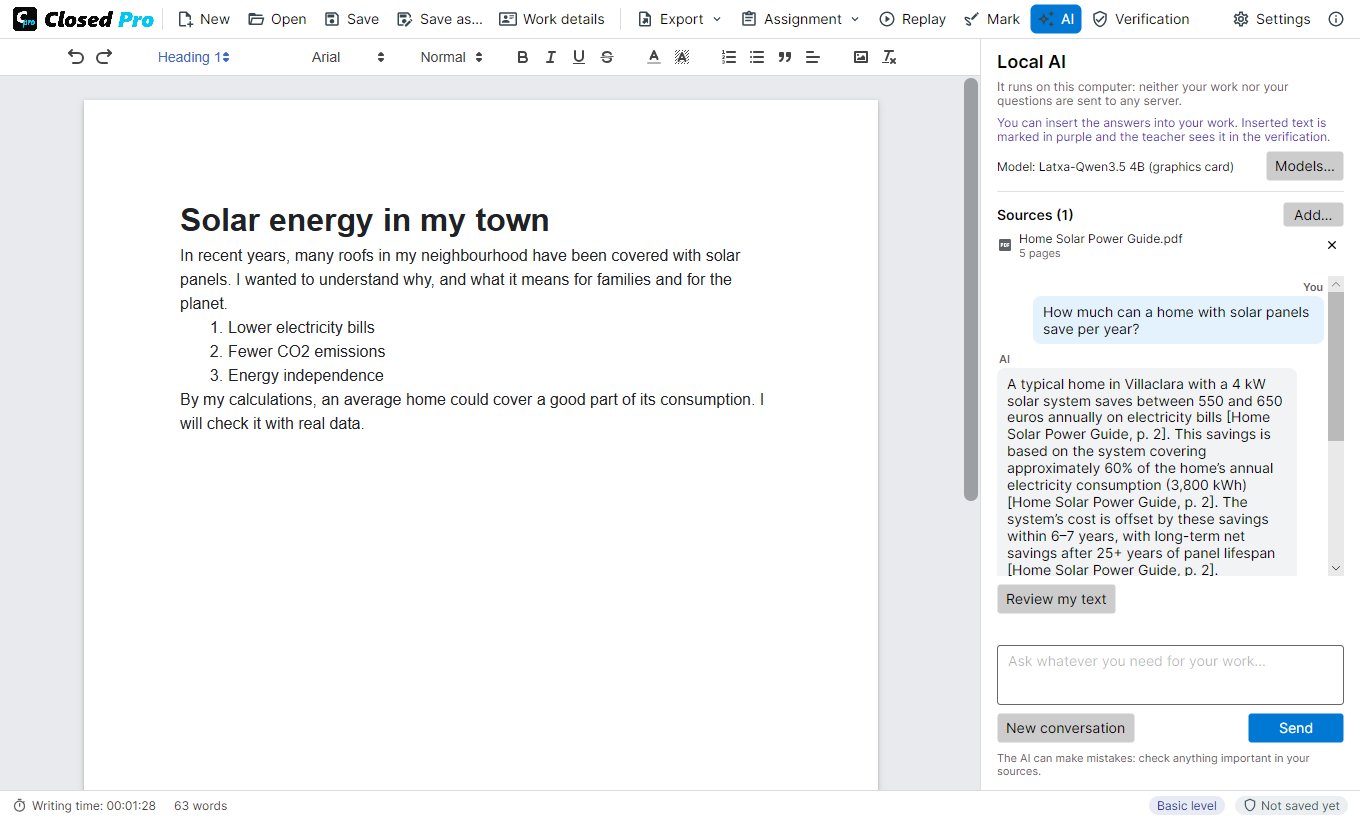
Student sources in Closed Pro
The student's sources: the AI answers with them and cites the page.
Local AI

It runs on your computer, offline.

  • Open models: Qwen3 in three sizes and Latxa, the best in Catalan, Galician and Basque
  • The conversation model takes 1.7 to 4.7 GB and is downloaded once; Closed Pro recommends one for the computer's memory
  • Two small search models find the passages in the sources that answer the question
  • For the AI, 8 GB of memory at least (16 GB recommended); a graphics card makes it faster but is not required
  • Neither the work nor the questions are sent to any server

Prepare your first assignment.

Your students install Closed Pro from the Microsoft Store and hand in a single file: the .closedpro or a PDF that carries it. No accounts, no servers, nothing to set up at the school.