Customers and contacts
Every customer with its people, tax ID, tags and owner. Automatic customer codes and duplicate detection by tax ID.
CRM One360 brings together your customers, leads, opportunities, support tickets, tasks and every email you exchange with them. Each email is linked to its customer automatically, so the whole story is in one place. It installs from the Microsoft Store in a minute, works on one computer or on every computer in the office, and your data stay on your computers: one payment, no monthly fees to keep using them. And with Claude, you can ask your CRM questions in plain language.
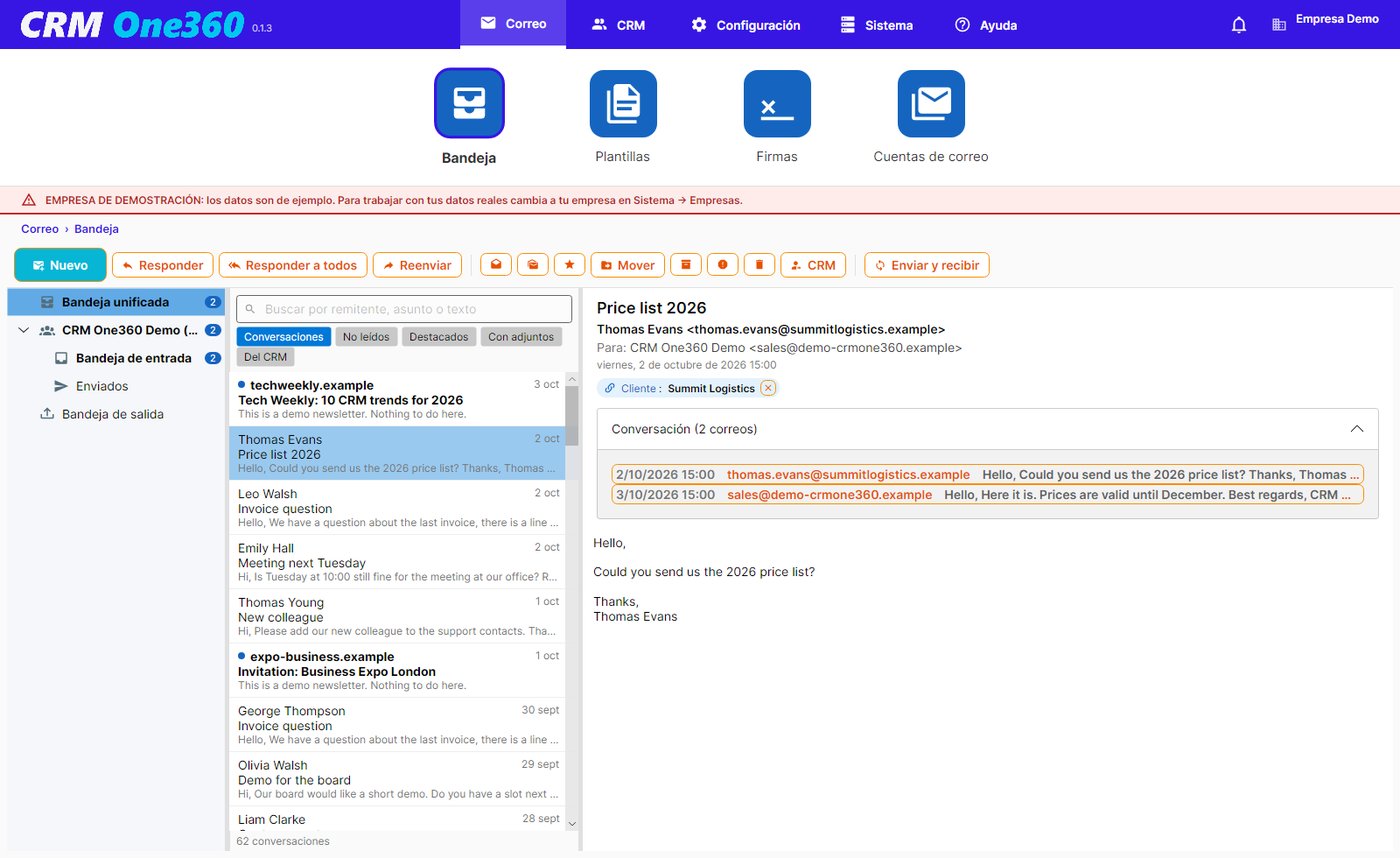
Most CRMs are cloud services you pay for every month, per user, forever, and your email lives elsewhere, so the conversation with each customer is split in two. CRM One360 puts the CRM and the email together on your own computers, for a single payment: every email is linked to its customer, lead or contact automatically, and the Customer 360° view shows everything at a glance.
Everything you need to sell and to look after your customers, on the same data and in the same window.
Every customer with its people, tax ID, tags and owner. Automatic customer codes and duplicate detection by tax ID.
Prospects with their status, source and last activity. Convert a lead into a customer in one click: contacts, opportunities, tasks and activities go with it.
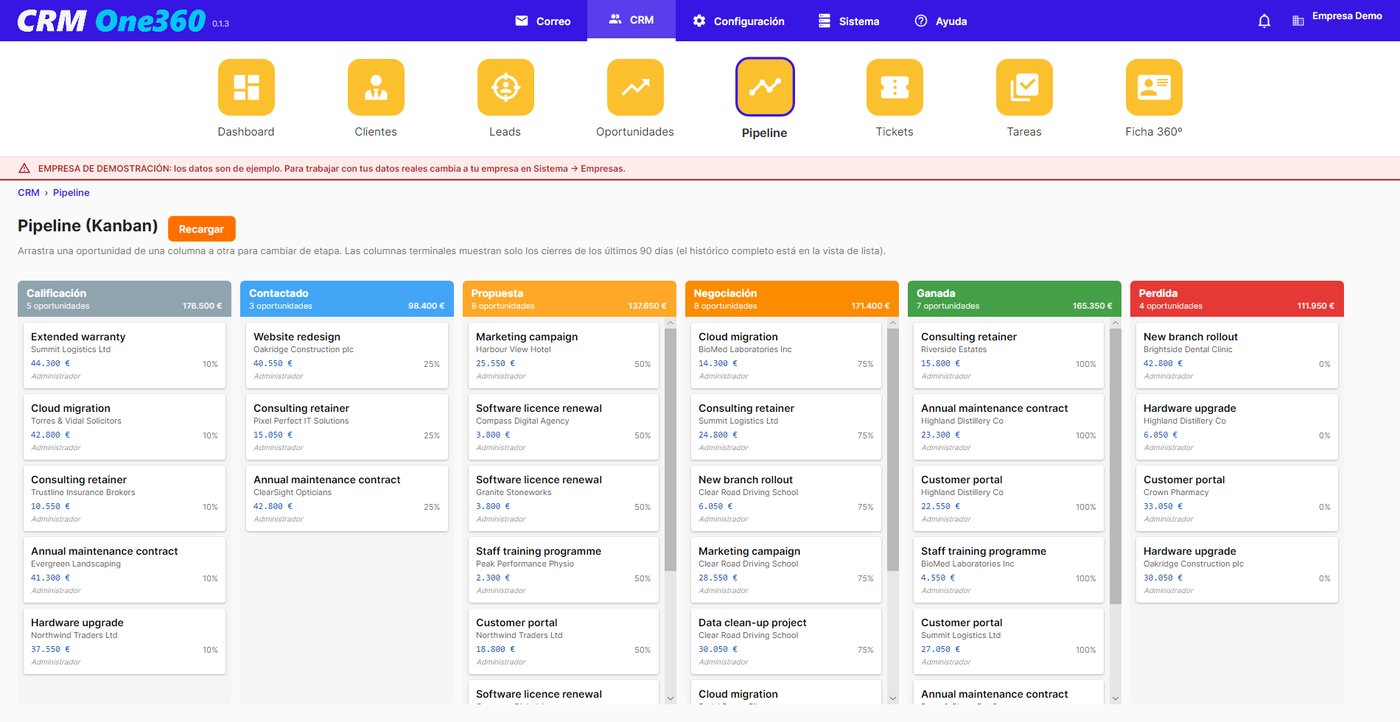
Your sales on a Kanban board: drag them from stage to stage, with amounts, probability, the weighted forecast and the reason for loss.
IMAP and POP3 accounts, personal and shared (info@, sales@), unified inbox, conversations, templates, signatures, rules and scheduled sending.
Support cases numbered per company, tasks with reminders by notice and email, and an alert when a customer’s email has gone unanswered for days.
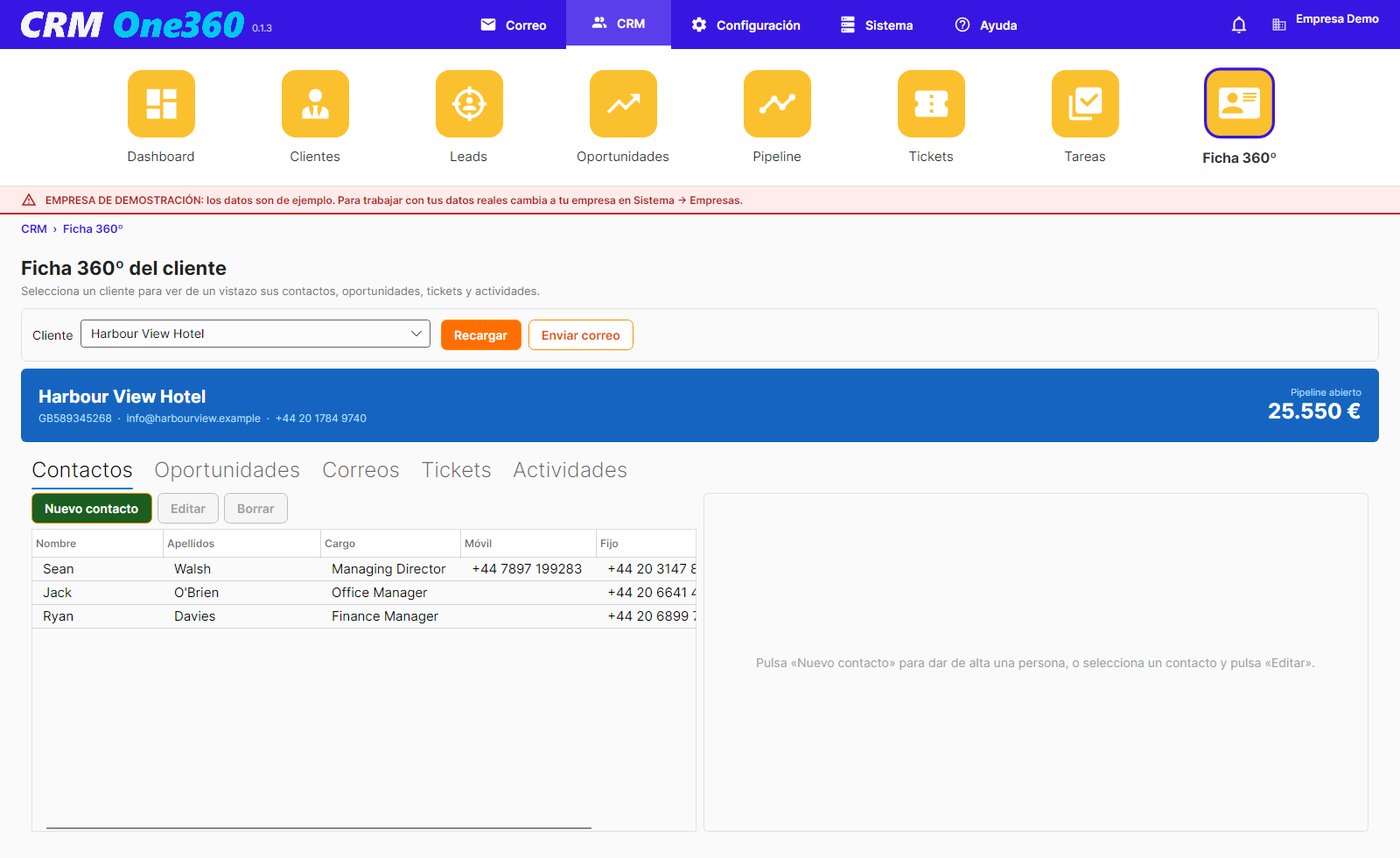
Everything about a customer on one screen: contacts, opportunities, every email, tickets and activities, with their open pipeline.
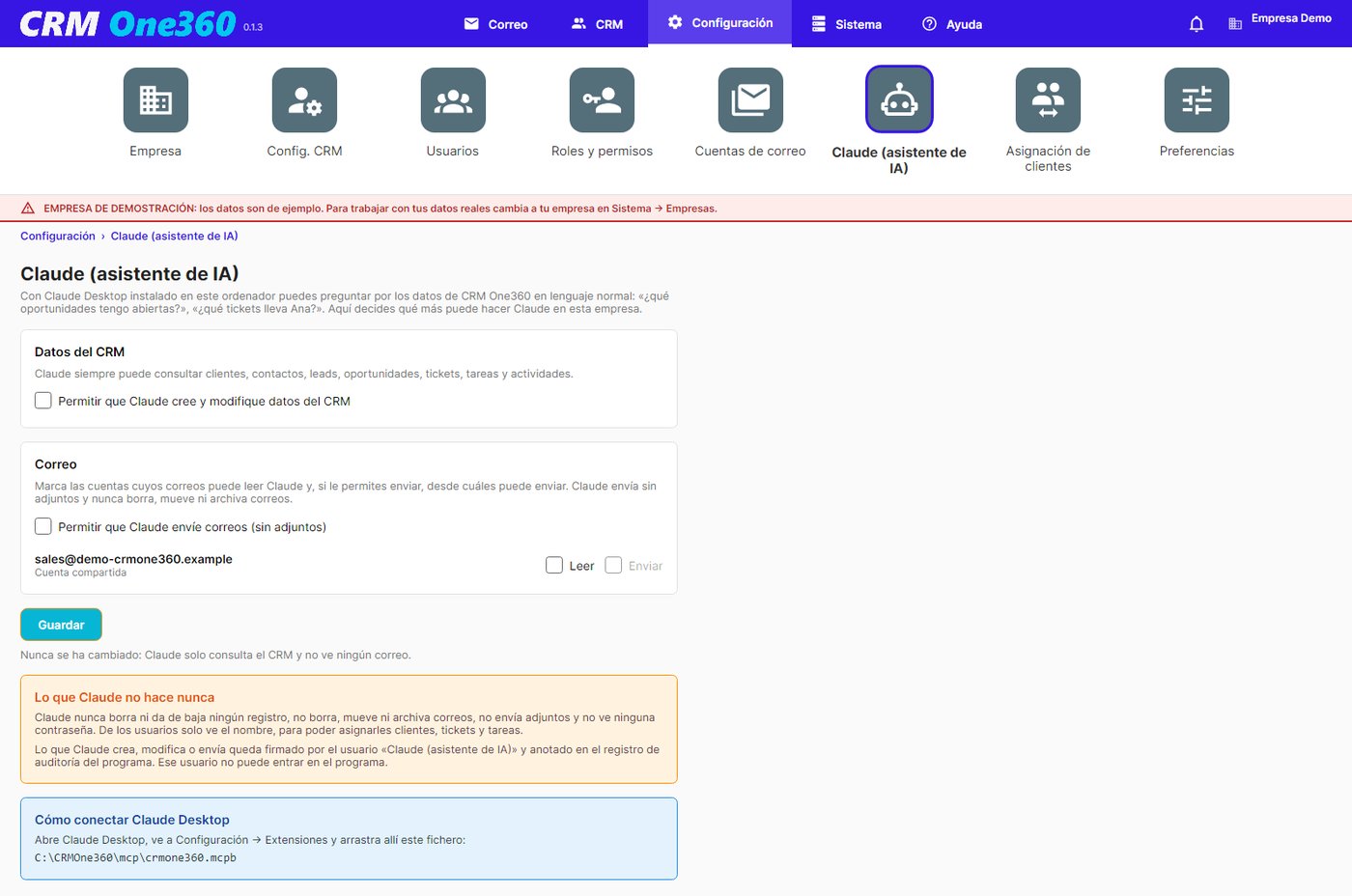
CRM One360 includes an MCP server (Model Context Protocol), the open standard that lets AI assistants work with your programs. With Claude Desktop on the same computer, Claude reads your CRM One360 data and answers you. If an administrator allows it, it can also create and update records and send emails for you.
Natural-language questions about customers, sales, tickets and tasks.
Claude gathers contacts, emails, opportunities and tickets into one summary.
Create and update records or send emails, only if an administrator switches it on.
Each team member’s workload, without opening screens or filters.
Questions that cut across customers, activities and dates.
It drafts and sends the reply from your account, if the administrator has switched on email sending.
In CRM One360, Settings → Claude. Out of the box Claude only looks things up; writing and email are switched on by an administrator, company by company and email account by email account.
On one computer the data are kept in SQLite, with nothing else to install. To work from several computers, CRM One360 moves them to PostgreSQL, free, with a guided wizard.