PDF proxy · PDF editor for professionals, without AI and without the cloud

Edit, sign and protect your PDFs without them leaving your computer.

PDF proxy is a complete PDF editor for Windows that works entirely on your computer: it edits the real text, fills in and creates forms, signs with your certificate and removes personal data before you share a document or use an AI. It has no AI inside and does not use the cloud: no document is ever uploaded to a server.
On your computer: no AI, no cloud Windows 10 · 11 · Microsoft Store 28 languages Free for individuals and micro-enterprises
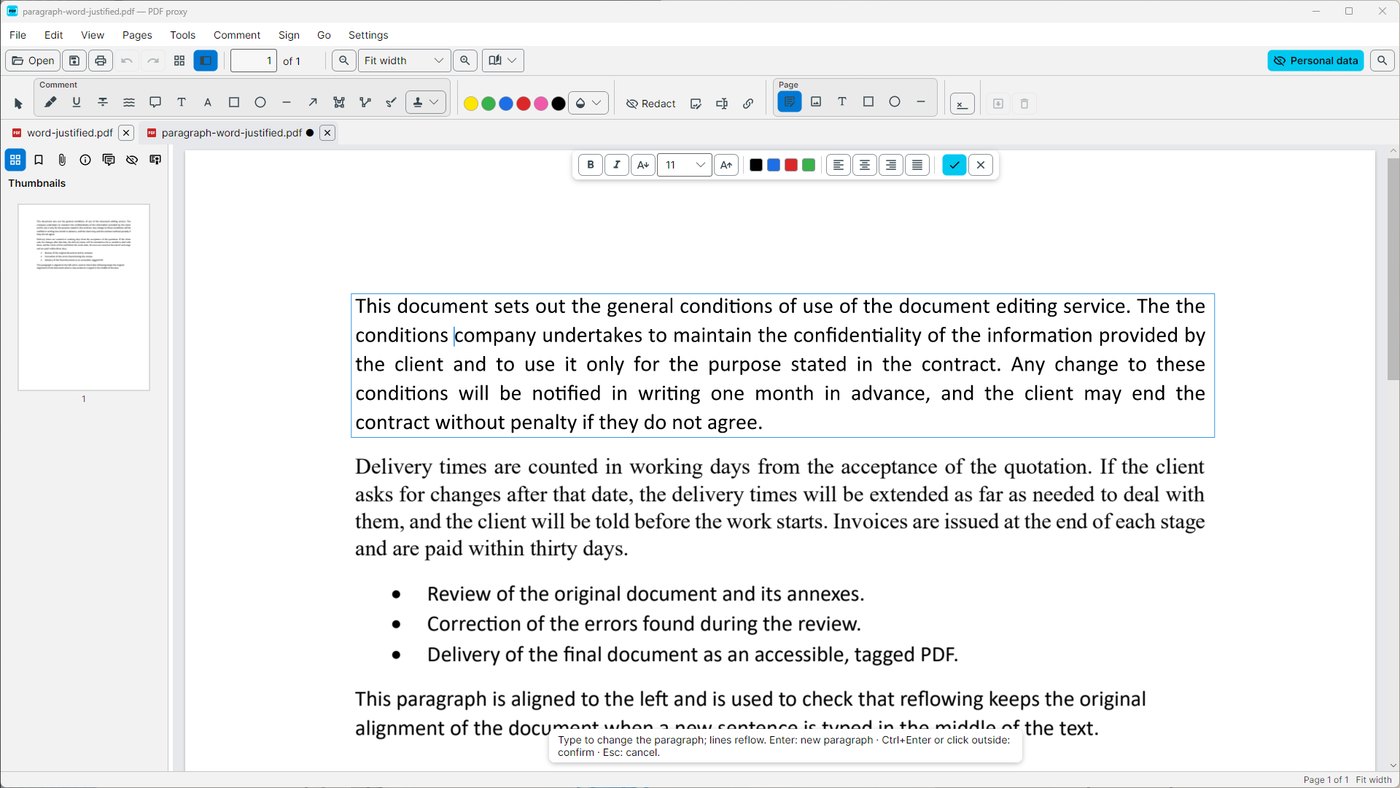
PDF proxy editing a paragraph
Editing a paragraph: the lines reflow as you type, with the document's own font.
The problem

Your documents carry other people's data.

Contracts, invoices, payslips, medical reports: they all carry names, ID numbers, accounts or addresses. Online PDF tools ask you to upload them, and AI assistants too. A black box drawn on top does not remove anything: the text is still there and can be copied.

PDF proxy does the whole job on your computer, deletes the data from the page for real and, if you want to use an AI in the cloud, gives it the document with tags instead of the real data.

Features

Everything you do with a PDF, in one app.

Real editing

Change the text of paragraphs and they reflow like in a word processor, with the document's own font. Images, links and bookmarks too.

Sign with a certificate

Advanced electronic signature (PAdES) with your digital certificate, and a check of the signatures you receive.

Personal data, really removed

IDs, names, emails or IBANs are found, you review them and they are deleted from the page, not hidden under a black box.

Use any cloud AI safely

Pseudonymise the document with tags like [PERSON_1] before uploading it. The key file, which stays on your computer, says who each tag is.

Quick search

Rules and built-in dictionaries of names, surnames and streets find the personal data in an instant, offline. No AI: you review every proposal.

Redaction and pseudonymisation log

Every redaction and pseudonymisation is recorded without personal data, to show what was done with each document.

And also: organise, merge, split, compress and protect, annotations and comments, forms, watermarks and page numbers, OCR for scans, export to Word or Excel, PDF/A and comparing versions.

Before a cloud AI

PDF proxy takes the personal data out before you use a cloud AI.

PDF proxy has no AI inside. It prepares the document for the assistant you already use: it replaces the personal data with tags, you upload the tagged text and the list of who each tag is stays on your computer, in a key file. The data is found with rules and dictionaries, not with an AI.

Your computer · PDF proxy

«Mary Smith, ID 12345678Z, mary.smith@company.com»

What goes to the cloud

«[PERSON_1], ID [ID_1], [EMAIL_1]»

The answer, with your key file

The AI answers: «[PERSON_1] signs on the 15th»↓Your key file, on your computer: [PERSON_1] = Mary Smith
Redact

Redact personal data for real.

  • Detects. IDs, tax numbers, IBANs, cards, emails and phone numbers; the program's dictionaries add names, surnames and streets.
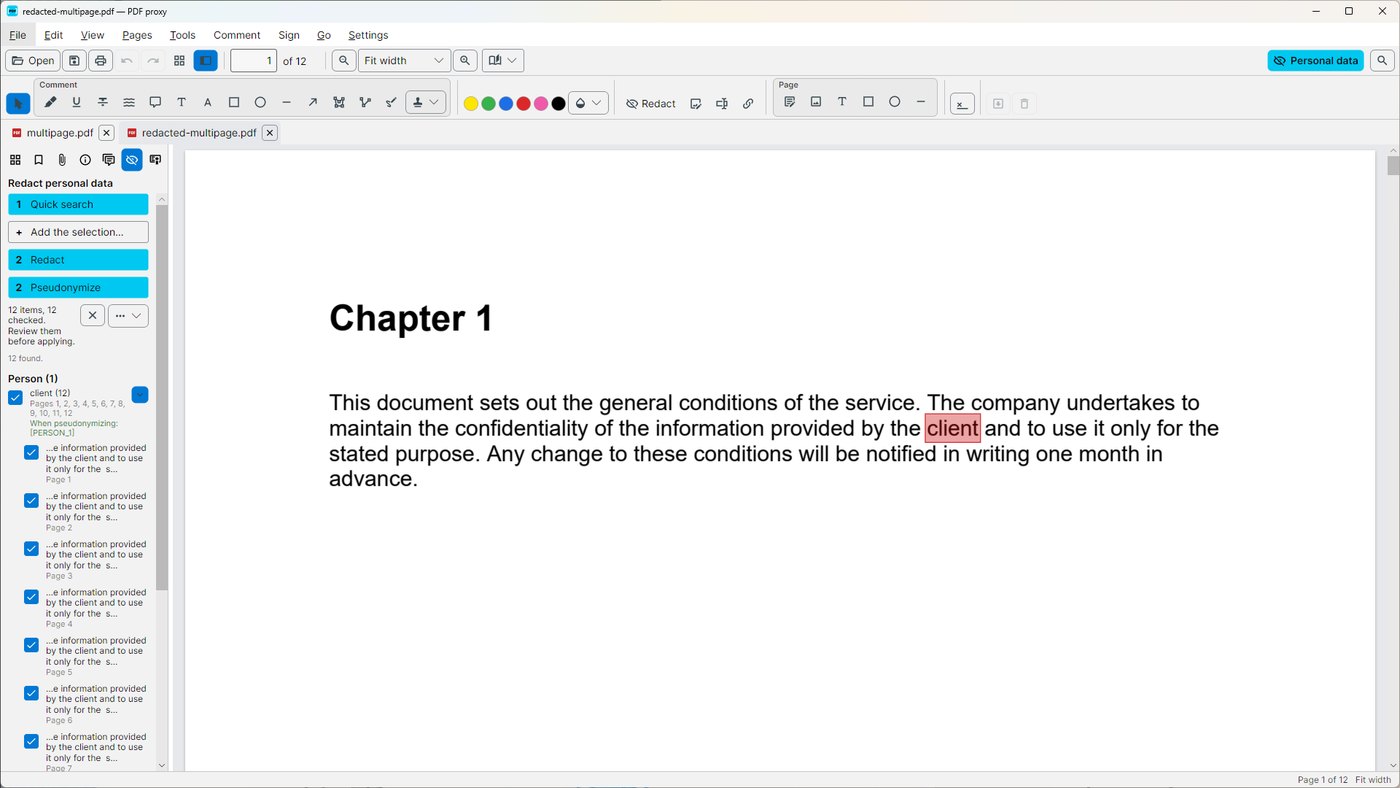
  • You review. One row per piece of data with all its occurrences. Nothing is redacted without your review.
  • Deleted from the document. The text disappears from the content, not under a black box. Metadata is cleaned and leftovers are checked.
The PDF proxy Redact panel
The Redact panel: every piece of data found, with all its occurrences, to review before deleting it.
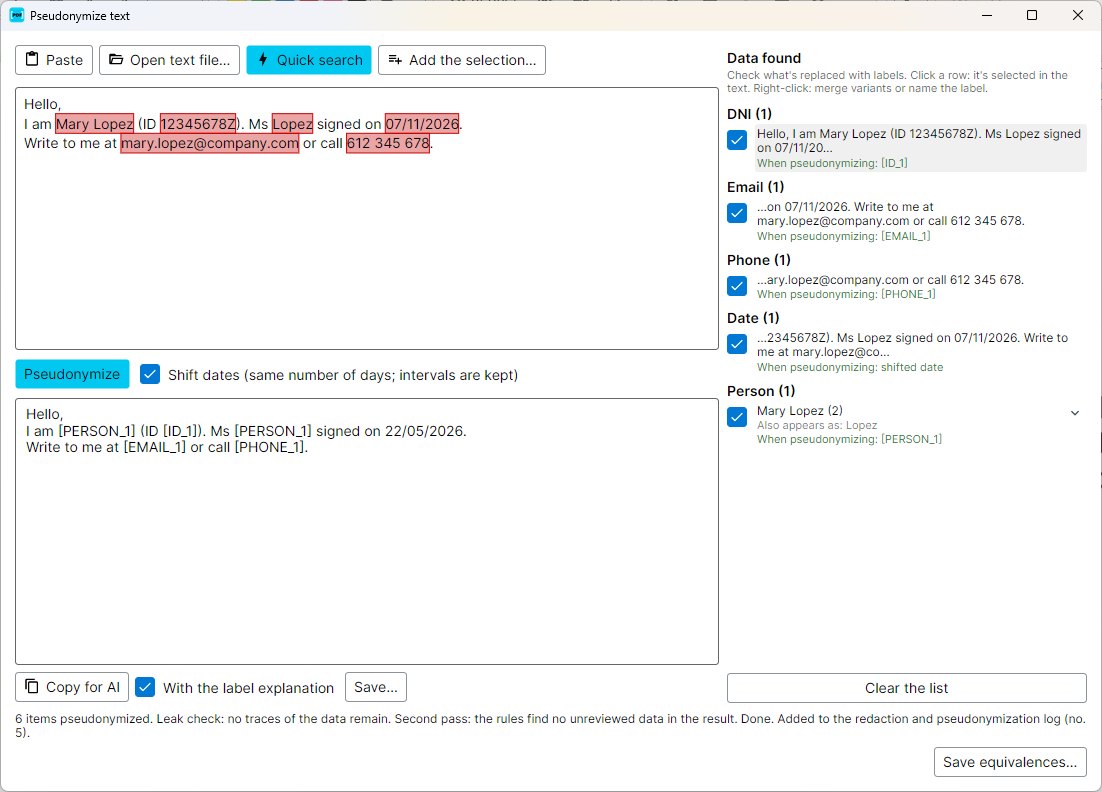
Pseudonymising a text in PDF proxy
Pseudonymise: the text with tags, ready for a cloud AI.
Pseudonymise

PDFs and loose text, with tags.

  • PDF or text. A whole PDF, or an email, what you copied from Word or the clipboard.
  • Same tags in every document. The same person keeps the same tag in every document and email of the case.
  • Dates shifted if you want. All dates move by the same number of days, so intervals stay real.
  • The key, kept apart. The list of what each tag means is saved in a separate file, only on your side.
Sign

Sign with a certificate and check the signatures you receive.

  • Handwritten signature. Drawn with the mouse or a pen, or typed in a signature font.
  • Certificate signature. Advanced electronic signature (PAdES) with your digital certificate and an optional timestamp.
  • Check signatures. Who signed, whether the certificate is trusted and whether the document changed afterwards.
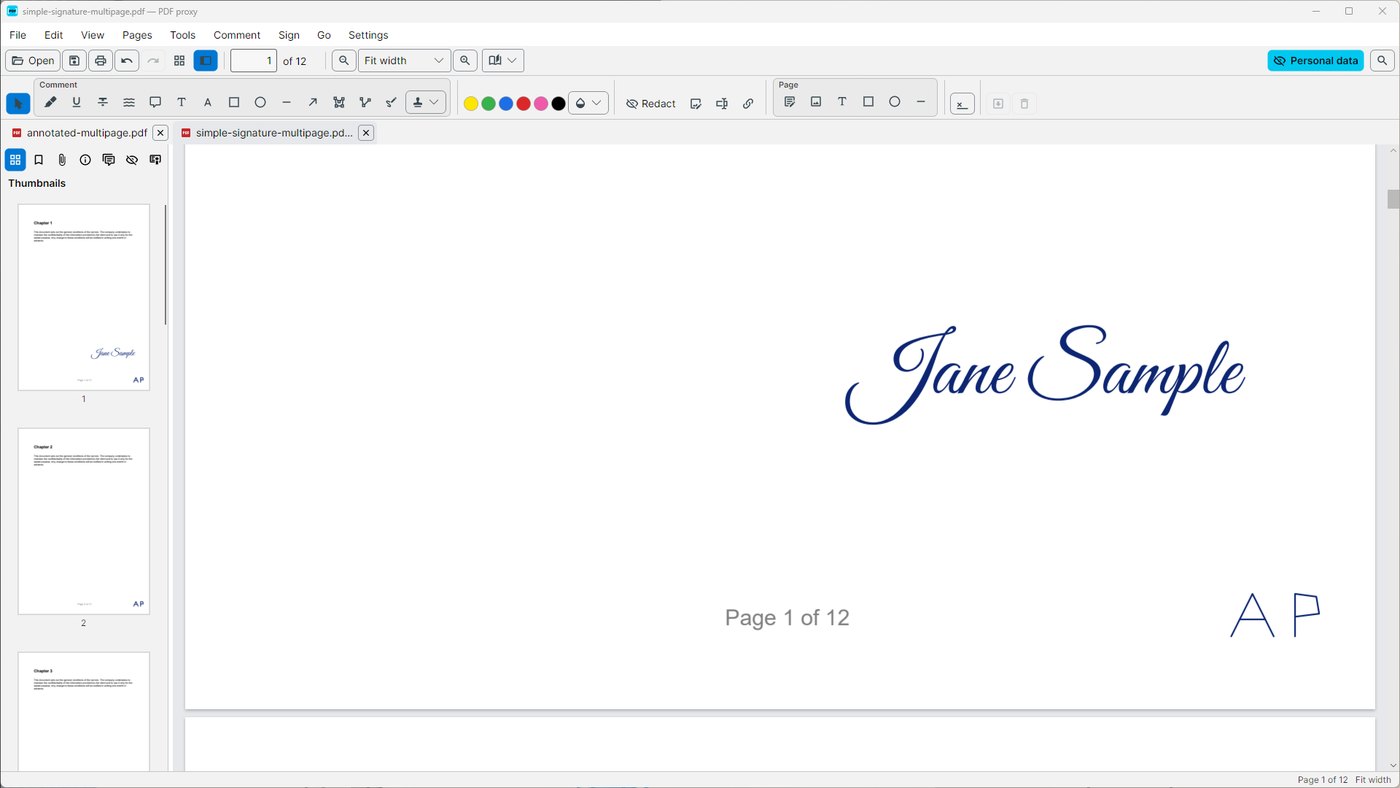
A handwritten signature in PDF proxy
A handwritten signature, drawn or typed in a signature font.

Free for individuals and micro-enterprises.

Every feature, no time limit. Other companies: annual licence of €99 + VAT per computer. Free download from the Microsoft Store.